


A proper ergonomic desk setup during pregnancy can help reduce back pain, neck strain, swelling, and discomfort caused by long hours of sitting.
Pregnancy changes far more than your growing baby bump.
It changes how you sit, breathe, move, and even how your body tolerates a normal workday.
Many women who comfortably worked at a desk for years suddenly develop :
back pain, neck stiffness, hip discomfort, swollen feet, or numbness in their hands during pregnancy.
Surprisingly, the problem is not always the pregnancy itself.
In many cases, an outdated workstation setup becomes the hidden culprit.
Quick Answer
The best desk setup during pregnancy includes a supportive chair with lumbar support, a monitor positioned at eye level, feet resting flat on the floor or on a footrest, and a keyboard placed close to the body. Pregnant women should avoid prolonged sitting, change positions regularly, and take short movement breaks every 30–60 minutes. A well-designed workstation can help reduce back pain, neck strain, pelvic discomfort, swelling, and fatigue while improving comfort and productivity throughout pregnancy.
As a physiotherapist,
one of the most common things I notice is that pregnant women continue using the same desk arrangement they had before pregnancy, even though their body’s mechanics have changed significantly.
A well-designed desk setup can reduce strain on the lower back, improve circulation, support breathing, minimize swelling, and make long workdays much more manageable.
Key Takeaways
- Pregnancy changes posture, balance, breathing mechanics, and spinal loading, making workstation ergonomics more important.
- Monitor height should be at or slightly below eye level to reduce neck strain.
- A supportive chair with lumbar support can improve comfort during long work hours.
- Feet should remain supported on the floor or a footrest to reduce pressure on the lower back and legs.
- Avoid reaching forward to the keyboard or mouse, as this increases shoulder and upper back tension.
- Movement breaks every 30–60 minutes are often more beneficial than maintaining a “perfect posture.”
- Alternating between sitting, standing, and walking can improve circulation and reduce stiffness.
- Small ergonomic adjustments can significantly reduce pregnancy-related discomfort at work.
Why Ergonomic Desk Setup Matter More During Pregnancy
During pregnancy, the body experiences several physical changes that directly affect posture.
The growing uterus shifts the center of gravity forward.
Hormonal changes increase ligament laxity.
The abdominal muscles stretch.
The rib cage expands.
All these adaptations influence how a woman sits and moves throughout the day.
Research shows that pregnancy-related low back pain affects a significant percentage of pregnant women and can interfere with daily activities, sleep, and work productivity. (Sabine Vesting et al. 2004)
A workstation that felt comfortable before pregnancy may suddenly create excessive pressure on the lumbar spine, pelvis, hips, and neck.
The Most Common Desk Setup Mistakes I See
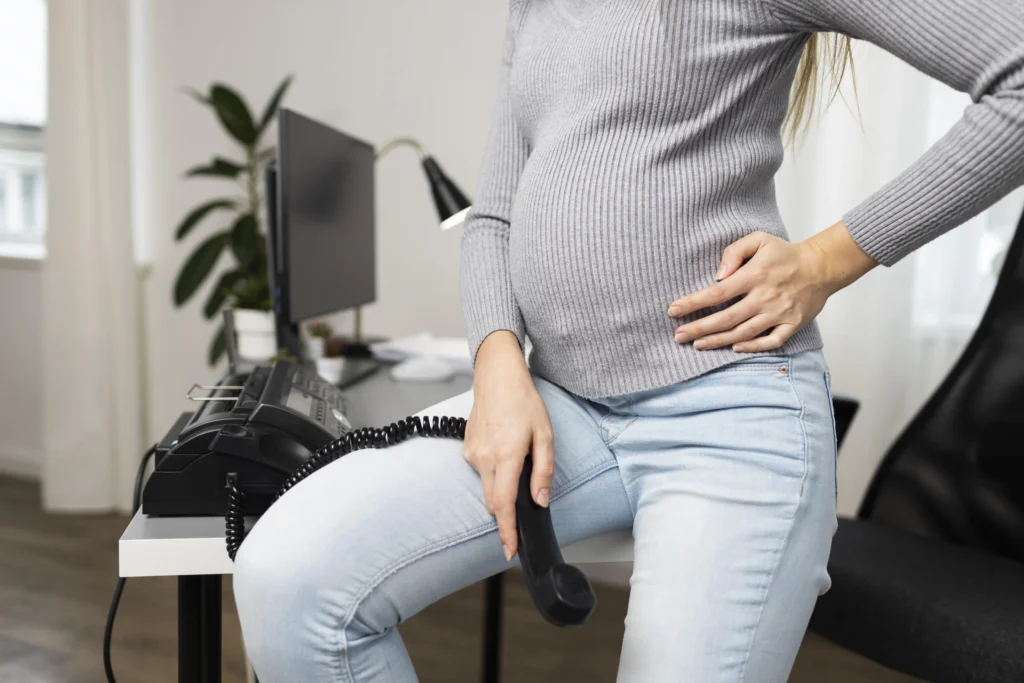
Sitting Too Far Away From the Desk
Many pregnant women unconsciously move their chair backward to accommodate their growing abdomen.
Unfortunately, this often results in reaching forward toward the keyboard.
Over time, this posture can lead to:
- Neck tension
- Rounded shoulders
- Mid-back discomfort
- Increased upper trapezius tightness
Instead, bring the chair close enough that your elbows remain comfortably beside your body.
Working From a Laptop All Day
A laptop creates a unique problem.
If the screen is at eye level, the keyboard becomes too high.
If the keyboard is comfortable, the screen becomes too low.
This forces the neck into prolonged flexion.
A better solution is:
- External keyboard
- External mouse
- Laptop stand or monitor riser
Crossing Your Legs
Crossing the legs may feel comfortable temporarily.
However, prolonged crossing can contribute to:
- Pelvic asymmetry
- Hip discomfort
- Increased swelling in some individuals
Keeping both feet supported is usually the better option.
The Ideal Chair Setup During Pregnancy
Support the Natural Curve of Your Back
One of the biggest misconceptions is that pregnant women should sit perfectly upright all day.
The truth is that no posture remains healthy if maintained continuously.
Instead of forcing a rigid posture, aim for supported posture.
A small lumbar support cushion or rolled towel can help maintain comfort.
Seat Depth Matters
A lesser-known ergonomic issue is excessive seat depth.
If the seat is too deep, pressure develops behind the knees.
This can affect circulation and contribute to discomfort.
Ideally, leave approximately two to three finger widths between the chair edge and the back of the knees.
Use Adjustable Armrests
Proper arm support decreases neck and shoulder workload.
When seated:
- Shoulders should remain relaxed
- Elbows should rest around 90 degrees
- Forearms should be supported
The Best Desk Height During Pregnancy
Elbows Should Guide Desk Height
Forget generic desk measurements.
Your body should determine the correct height.
A useful rule:
- Elbows near 90 degrees
- Wrists neutral
- Shoulders relaxed
If the desk is too high, shoulder tension increases.
If too low, forward bending occurs.
Consider a Keyboard Tray
Women who experience shoulder tightness often benefit from a lower keyboard position.
A keyboard tray may create a more natural upper limb posture.
Monitor Placement That Reduces Neck Strain
Keep the Screen at Eye Level
The top third of the monitor should generally align with eye level.
This reduces the tendency to look down for prolonged periods.
Neck pain during pregnancy often has less to do with hormones and more to do with workstation habits.
Increase Screen Distance as Pregnancy Progresses
As pregnancy advances, many women naturally sit slightly farther from the desk.
Adjust monitor distance accordingly.
A good starting point is approximately an arm’s length away.
A Frequently Ignored Factor: Breathing Space
One of the most overlooked aspects of pregnancy ergonomics is breathing.
As the uterus grows, the diaphragm’s movement changes.
If the desk edge constantly presses into the abdomen, breathing may feel restricted.
Choose a setup that allows comfortable clearance between the body and the desk.
Managing Lower Back Pain While Working
Avoid Static Sitting
The best posture is often the next posture.
Remaining still for long periods places continuous load on tissues.
Aim to change position regularly throughout the day.
Use Movement Snacks
I often recommend what I call movement snacks.
These are brief movement breaks lasting one to three minutes.
Examples include:
- Shoulder rolls
- Walking to refill water
- Gentle standing stretches
- Pelvic tilts
Small movement breaks accumulate significant benefits.
The Best Foot Position During Pregnancy
Keep Feet Supported
Feet should rest fully on the floor whenever possible to avoide foot pain.
If your chair height prevents this, use a footrest.
Unsupported feet increase strain on the lower back and thighs.
Elevate Feet If Swelling Develops
Ankle swelling becomes more common later in pregnancy.
Brief periods of elevation can improve comfort.
Always discuss significant swelling with your healthcare provider.
Pregnancy and Sciatica: Workstation Tips
Many women assume every buttock or leg pain symptom is sciatica.
In reality, pregnancy-related pelvic girdle pain is often mistaken for sciatica. (Vleeming et al. 2008)
Regardless of diagnosis, prolonged sitting often aggravates symptoms.
Helpful strategies include:
- Frequent position changes
- Proper lumbar support
- Standing breaks
- Supported foot positioning
Trimester-by-Trimester Desk Setup Adjustments
First Trimester
Focus on:
- Reducing fatigue
- Maintaining hydration
- Establishing ergonomic habits
Many women experience increased tiredness even before visible body changes occur.
Second Trimester
This is often the ideal time to optimize the workstation.
Adjust:
- Chair position
- Monitor height
- Foot support
- Keyboard placement
Third Trimester
Comfort becomes the priority.
Expect:
- More frequent movement breaks
- Increased need for lumbar support
- Greater attention to swelling management
Should You Use a Standing Desk During Pregnancy?
Standing desks are often promoted as a universal solution.
The reality is more nuanced.
Standing continuously can be just as problematic as sitting continuously.
Research suggests prolonged standing during pregnancy may also contribute to discomfort.
The goal is not replacing sitting with standing.
The goal is alternating between both.
A practical approach is:
- Sit
- Stand briefly
- Walk
- Return to sitting
Movement variety usually works best.
Lesser-Known Ergonomic Tips
Your Mouse May Be Causing More Problems Than Your Chair
A mouse placed too far away encourages reaching.
This creates upper back and shoulder strain.
Keep the mouse close to the keyboard.
Tight Clothing Can Affect Sitting Comfort
Compression around the waist may increase discomfort during prolonged desk work.
Comfortable, breathable clothing matters more than many people realize.
Hydration Influences Musculoskeletal Comfort
Mild dehydration can increase fatigue and reduce overall comfort during work.
Keep water accessible rather than relying on scheduled hydration.
Change Positions Before Pain Starts
One of the most valuable lessons from physiotherapy is simple.
Do not wait for pain to signal movement.
Move before discomfort develops.
A Simple Ergonomic Desk Setup During Pregnancy Checklist
Before starting work each day, ask yourself:
- Are my feet supported?
- Is my monitor near eye level?
- Are my shoulders relaxed?
- Is my lower back supported?
- Can I breathe comfortably?
- Is my keyboard close enough?
- Have I planned movement breaks?
If the answer is yes to most of these questions, your workstation is likely supporting rather than challenging your body.
Final Thoughts
Pregnancy places extraordinary demands on the body, but work does not have to become a daily struggle.
The best ergonomic desk setup during pregnancy is not about achieving perfect posture.
It is about creating a workstation that adapts to your changing body.
Small adjustments often produce surprisingly meaningful improvements.
A monitor raised a few inches, a supportive cushion, a footrest, or simply taking more frequent movement breaks can make the difference between ending the day exhausted and finishing work comfortably.
Listen to your body, adjust your environment as pregnancy progresses, and remember that comfort is not a luxury during pregnancy.
It is an important part of supporting both maternal health and workplace wellbeing.
Frequently Asked Questions
Can sitting for long hours harm my pregnancy?
Prolonged sitting is not usually harmful to the baby, but it may increase back pain, stiffness, swelling, and discomfort. Taking regular movement breaks can improve circulation and reduce musculoskeletal strain.
What is the best chair for working during pregnancy?
A chair with adjustable height, lumbar support, armrests, and adequate cushioning is generally the most comfortable option for pregnant women.
Should I use a footrest during pregnancy?
A footrest can be beneficial if your feet do not comfortably reach the floor. It helps improve posture and reduces pressure on the thighs and lower back.
Is a standing desk good during pregnancy?
A standing desk can be useful when combined with sitting breaks. The goal is to alternate positions rather than standing continuously.
How high should my monitor be during pregnancy?
The top portion of the monitor should generally be at or slightly below eye level to minimize neck strain and forward head posture.
Can a poor workstation cause back pain during pregnancy?
Yes. An improperly positioned monitor, keyboard, chair, or desk can increase stress on the spine and pelvis, potentially worsening discomfort.
How often should I take breaks while working?
Most physiotherapists recommend standing up, stretching, or walking briefly every 30–60 minutes.
Can desk setup help reduce pregnancy swelling?
A proper workstation combined with movement breaks, hydration, and occasional leg elevation may improve circulation and reduce swelling-related discomfort.
Stay tuned with us for more health related topics.
Follow us on LinkedIn and Instagram for more.
More Read


Medical Disclaimer!
This article has been reviewed and written under the guidance of our Head Physiotherapist, Dr. Kruti Raj (PT, MUHS,CPT,CMPT). The information shared is intended for educational purposes only and should not be considered a substitute for personalized medical advice, diagnosis, or treatment.
Please consult us or any other qualified healthcare professional before beginning any exercise program, especially if you are experiencing pain, recovering from injury, or managing a medical condition.


